What is CNC Milling and what is the uCreate CNC mill?
CNC (Computer Numeric Control) milling machines are powerful pieces of equipment that can cut and mill various materials such as foams, plastics, woods and metals. They operate a rapidly spinning cutting bit that can cut into a wide range of materials.
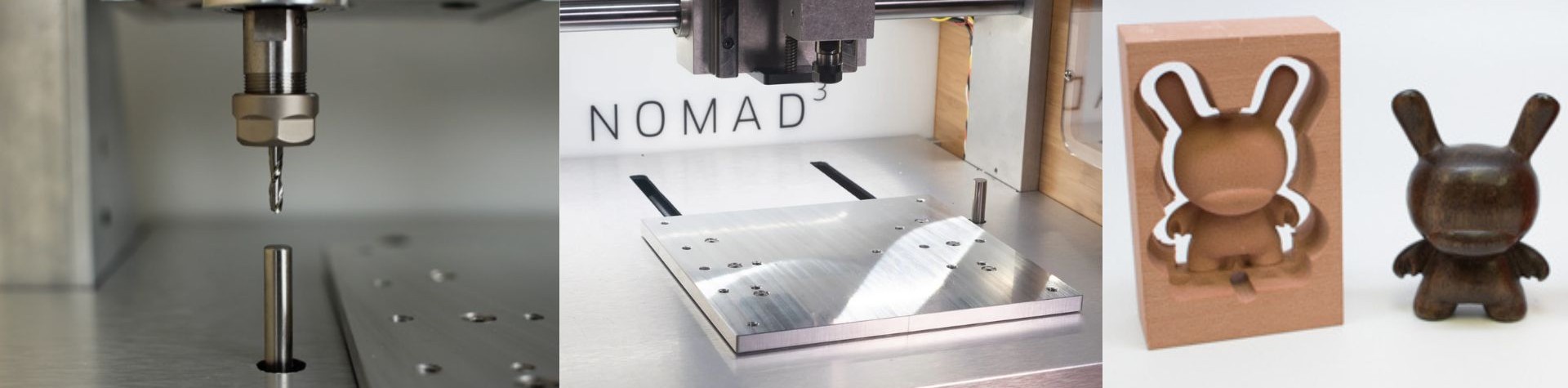
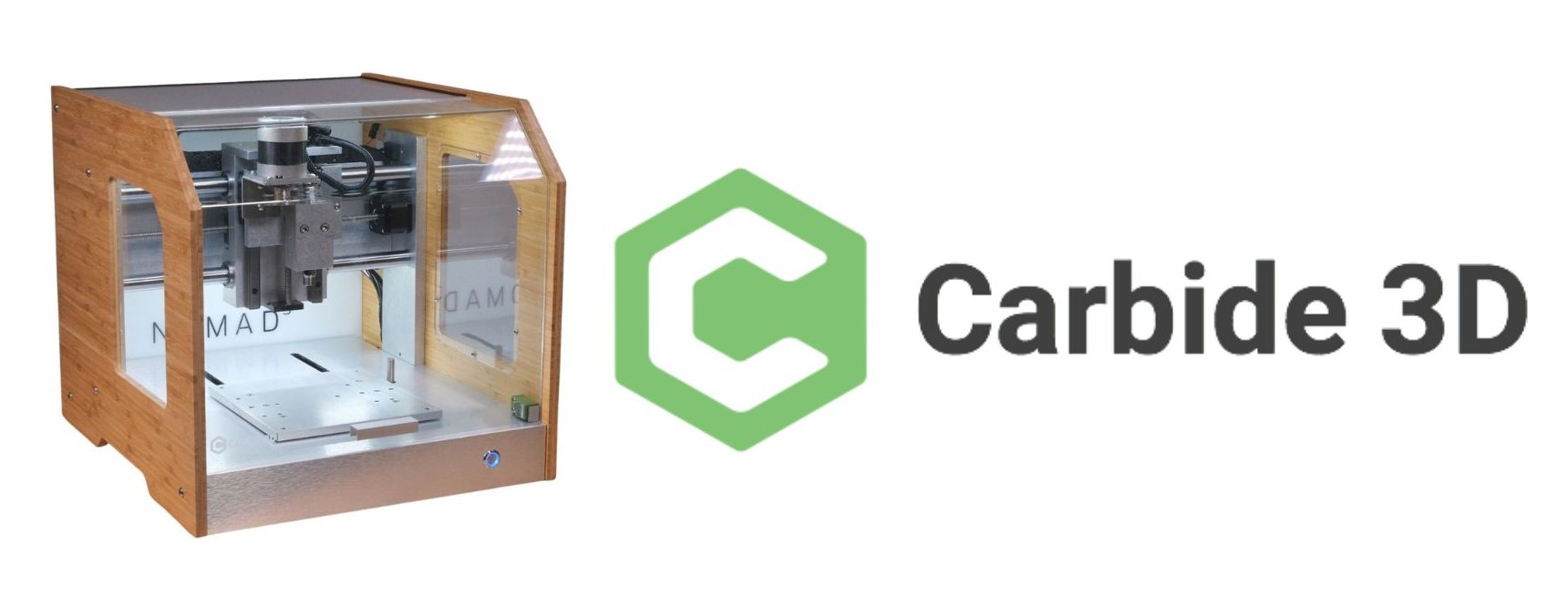
Here at uCreate, we operate the Nomad 3 CNC mill made by Carbide 3D.
The NOMAD CNC uses the Carbide Create and Carbide Motion softwares.
See the CNC workflow knowledge base page for more information. The CNC can also process Fusion 360 files, but users are advised to speak to a member of uCreate staff if they are interested in doing this.
Specifications
Cut area: 8”x8” (20.3cm x 20.3cm)
Maximum cut depth:1.5” (3.8cm)
How does a CNC machine work and what can I use it for?
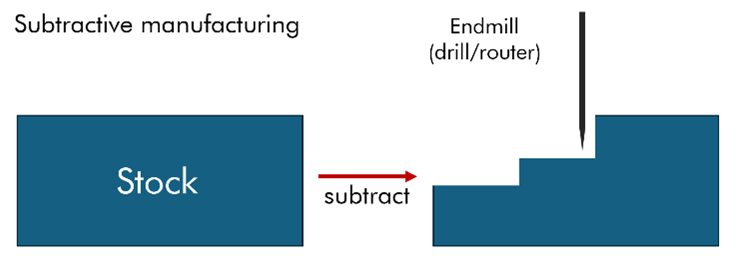
A CNC machine is a machine that takes a block of material, known as the stock, and removes bits of it to reach a desired shape, using a tool known as an endmill. This is subtractive manufacturing. This endmill can take many different forms and shapes, and we have a large variety of them here at uCreate.
See the endmill section of this page for more information.
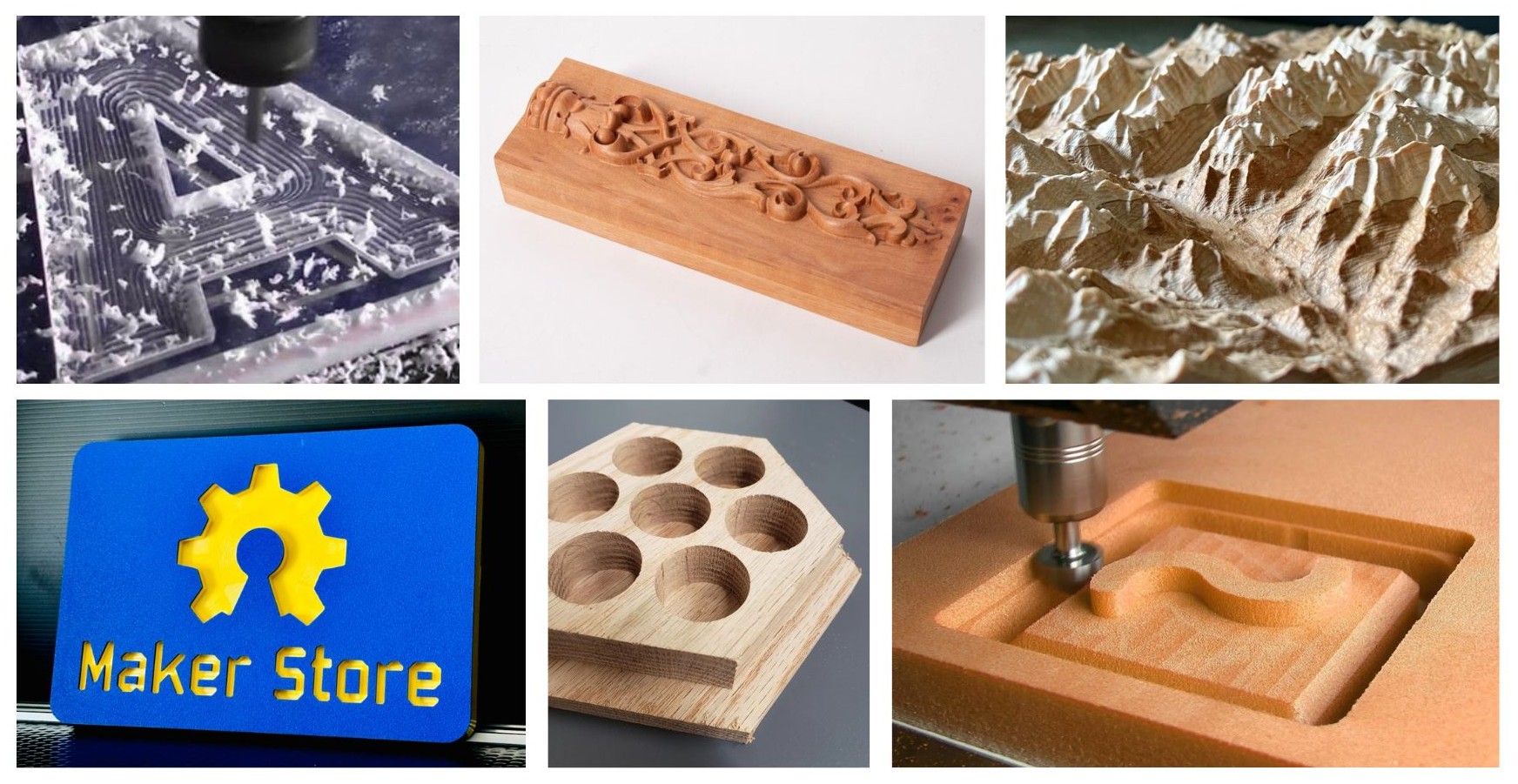
An example of CNC projects is a topological maps. CNC milling can also be used to cut bevels, unlike laser cutting.
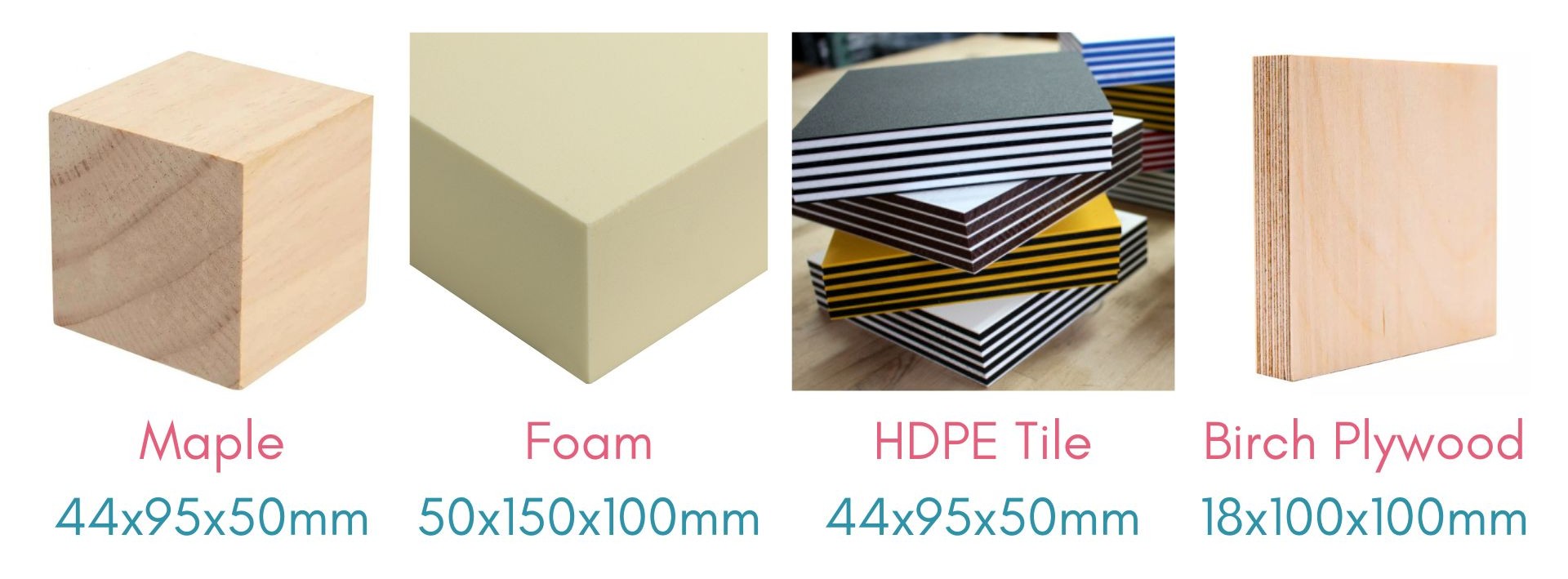
Materials that can be cut at uCreate.
The Nomad 3 can cut woods, plastics, foams, and acrylic.
Free for users, we stock block of maple (44x95x50mm), high and low density foam (50x150x100mm), birch plywood (18x100x100mm) and 2 tone HDPE tiles (44x95x50mm).
If you have any materials of your own that you would like to bring in, you MUST speak to a member of staff and have these approved.
While the Nomad 3 is capable of machining aluminium, users MUST speak to a member of staff regarding their specific projects if they wish to mill aluminium due to its added complexity.
Health and Safety.
The CNC machine is a serious tool which can cause fires or injuries if used improperly.
Rules for use.
- The CNC machine can be used by users who have completed the CNC Milling training.
- Users must be present for the entire duration of the cut and must actively watch the cut at all times. If the user needs to leave the room for any reason, the cut must be paused.
- Users must wear hearing protection while the CNC is running.
- In case of any smoke forming, pause the cut, use the vacuum cleaner to remove any dust and let the endmill cool. Alert a member of uCreate staff and adjust your milling settings.
- If an endmill breaks, pause the cut, remove the broken endmill from the collet and report it to staff. Continue with a new endmill only if you are sure that there is no issue with the toolpath.
Incompatible materials:
Only use approved materials that have been checked by staff.
The CNC machine can cut a wide range of materials, but there are a number of important exceptions, as follows:
- Metals harder than aluminium.
- Materials that produce any toxic dust. For instance, carbon fibre or carbon-fibre reinforced polymers (CFRP), fiberglass or glass-fibre-reinforced composites (GFRP).
- Brittle materials i.e. glass, ceramic, porcelain.
What is 2D, 2.5D and 3D Machining.
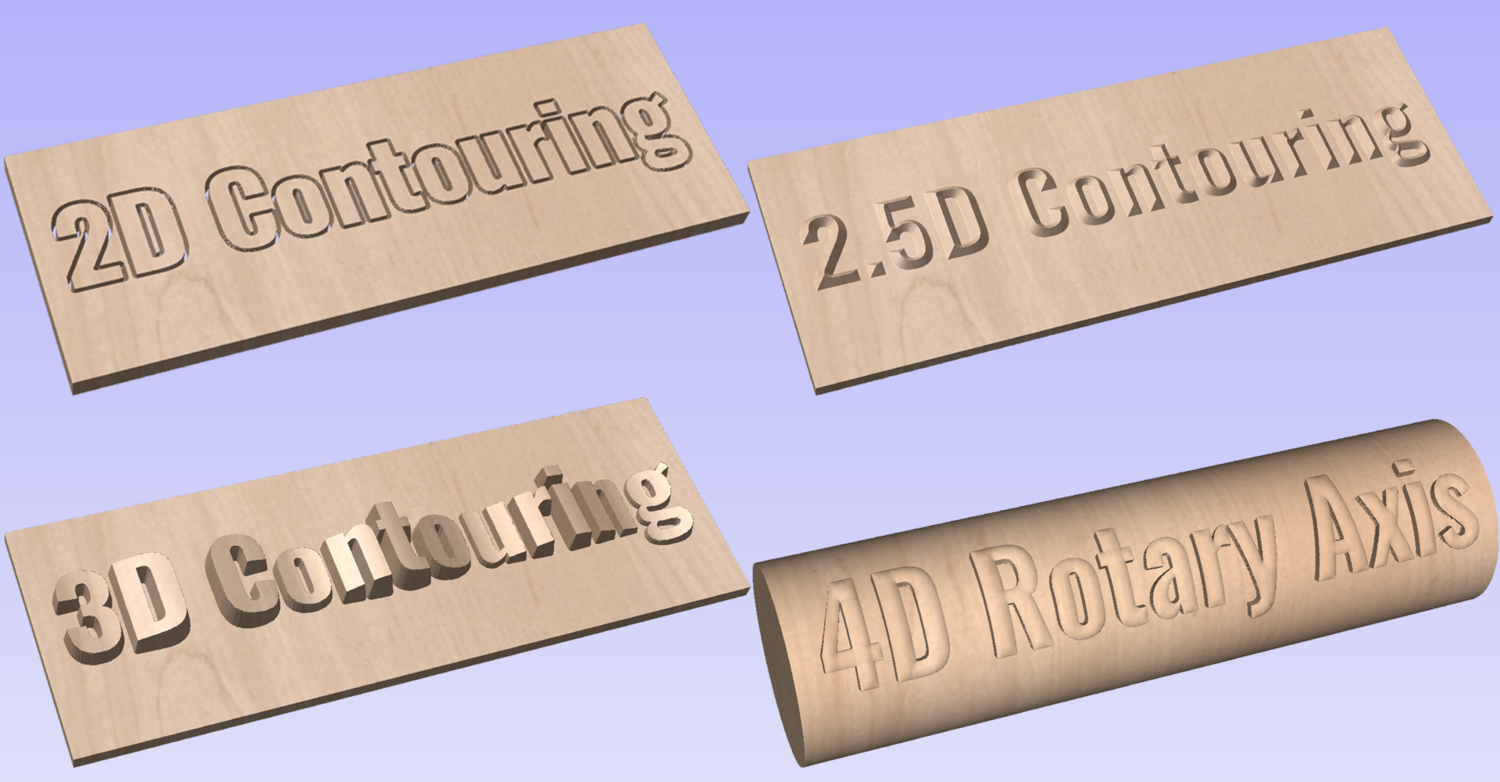
The Nomad can perform 2D, 2.5D and 3D cuts.
2D machining involves cutting and shaping materials along two axes (typically X and Y) to create flat or linear geometries. It's used for creating parts with features at a single depth, often for engravings, profiles, and contours.
2.5D machining involves cutting operations where the tool moves in the X and Y axes while plunging to fixed depths along the Z-axis. This is common for creating profiles, pockets, and engravings, where each new depth is a distinct, flat layer. This process is faster, simpler to program, and can be done using Carbide Create.
3D machining, by contrast, allows for continuous, simultaneous movement in all three axes (X, Y, and Z). This enables the creation of complex, curved surfaces, contours, and organic shapes. 3D machining requires more advanced CAM (Computer-Aided Manufacturing) software, such as Autodesk Fusion 360.
Endmills and Tooling.
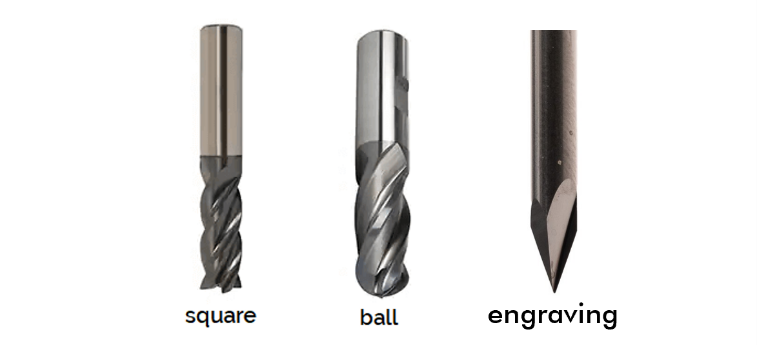
The cutting tool used in a CNC machine is called an endmill. The type of endmill you choose will have a significant impact on the final result. The endmills we have include:
Square: for most general-purpose cutting tasks, roughing cuts, drilling into thin materials. They are ideal for 2.5D cuts and pocketing, slots and flat surfaces. However, they cannot produce smooth curves as they form stepped, terraced layers.
Ball: Ideal for complex 3D geometries, as they can produce smooth curves and avoid steps. They are excellent for organic curves and sculpted surfaces but cannot do sharp internal corners.
Engraving: Sometimes called V-bits, these are designed to make sharp, crisp lines and fine, shallow cuts in materials like acrylic or PCB substrates. They are intended for fine detail work and should never be used to make deep material-clearing cuts.
Endmill sizing.
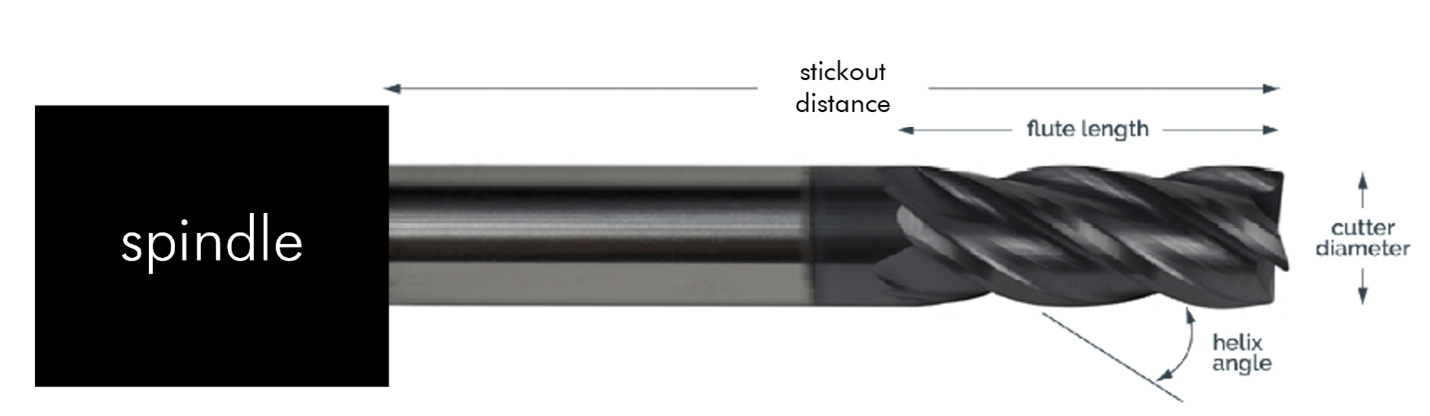
Endmills come in various diameters. The standard fitting we have here is for an ER-11 collet, which can hold endmills from 3 – 3.5mm in diameter.
- Most of the tools we have are 1/8” (3.125mm) in diameter on the shaft that fits into the machine, with cutting diameters ranging from 1/8” down to 1/32”.
- Smaller diameter endmills will allow for greater detail but will take longer to machine.
The flutes are the spiral grooves that cut the material and evacuate chips. Your depth of cut in a single pass should always be less than the flute length to ensure proper chip removal.
Stickout distance: This is the total length the endmill protrudes from the machine's collet (the part that holds the tool). This distance represents the maximum depth you can possibly cut into your material. It is important to note that using a shorter endmill can reduce vibration and therefore produce a better surface finish.
Feeds and Speeds.
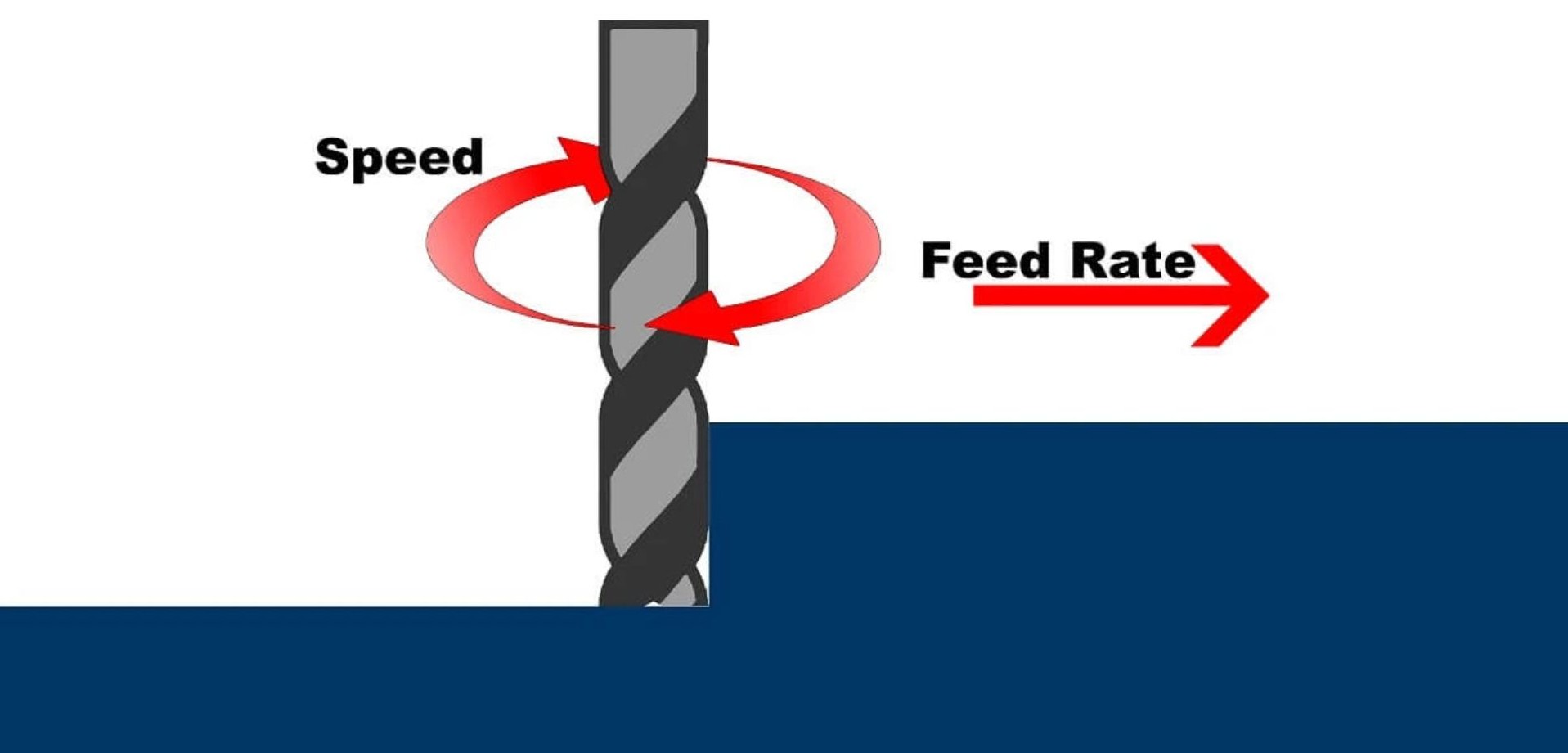
Feedrates and spindle speeds are fundamental concept in CNC machining, two key settings that must be balanced for a successful cut.
Spindle Speed: This is how fast the endmill spins, typically measured in revolutions per minute (RPM). The Nomad 3 can go up to 24000 RPM.
Feedrate: This is how fast the machine moves the endmill through the material, measured in mm/minute or inches/minute.
Getting the right balance of feedrate and spindle speed is critical. If the feedrate is too high for the spindle speed, the tool can break due to the endmill being ‘forced’ through the stock. On the other hand, if the spindle speed is too high for the feedrate, it can generate excessive friction and heat, melting plastic or burning wood, possibly resulting in a fire. The ideal settings depend on the material being cut, the endmill diameter, and the depth of the cut.
For specific material settings, please consult the uCreate recommended settings chart and/or speak to a member of staff.
How do I access the NOMAD CNC?
In order to use the CNC mill, you must have completed the corresponding training. These are bookable via our events calendar.
Once you have completed the training, you will be able to book the equipment on the uCreate booking site, SISO.