
Main image

create documentation
h2 subheading
Process
Paragraph
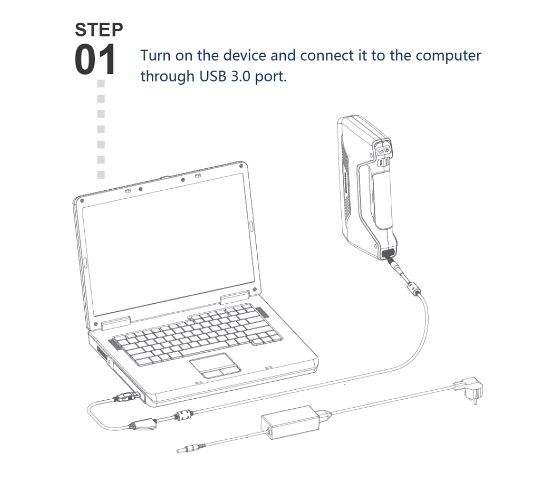
1. Connect Scanner:
Connect scanner to computer through USB cable and connect scanner to power.
2. Connect Turntable: (For Fixed Scan)
Place scanner to tripod then connect turntable to computer and power.

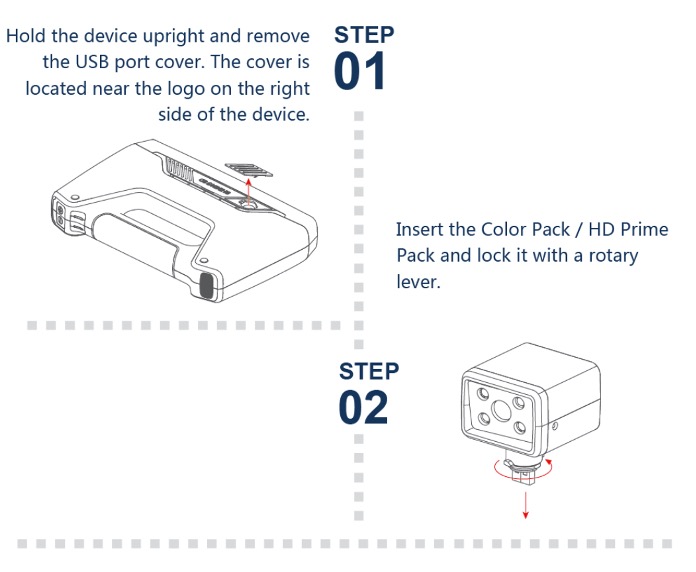
3. Connect Camera:
Remove the USB cover on the scanner. Insert the colour camera or HD camera, and rotate to lock.
h2 subheading
Video Training
Paragraph
h2 subheading
See Also
Support
h2 subheading
References
Paragraph
Einscan Pro 2x Plus Quick Guide
Training on Einscan Pro Installation